
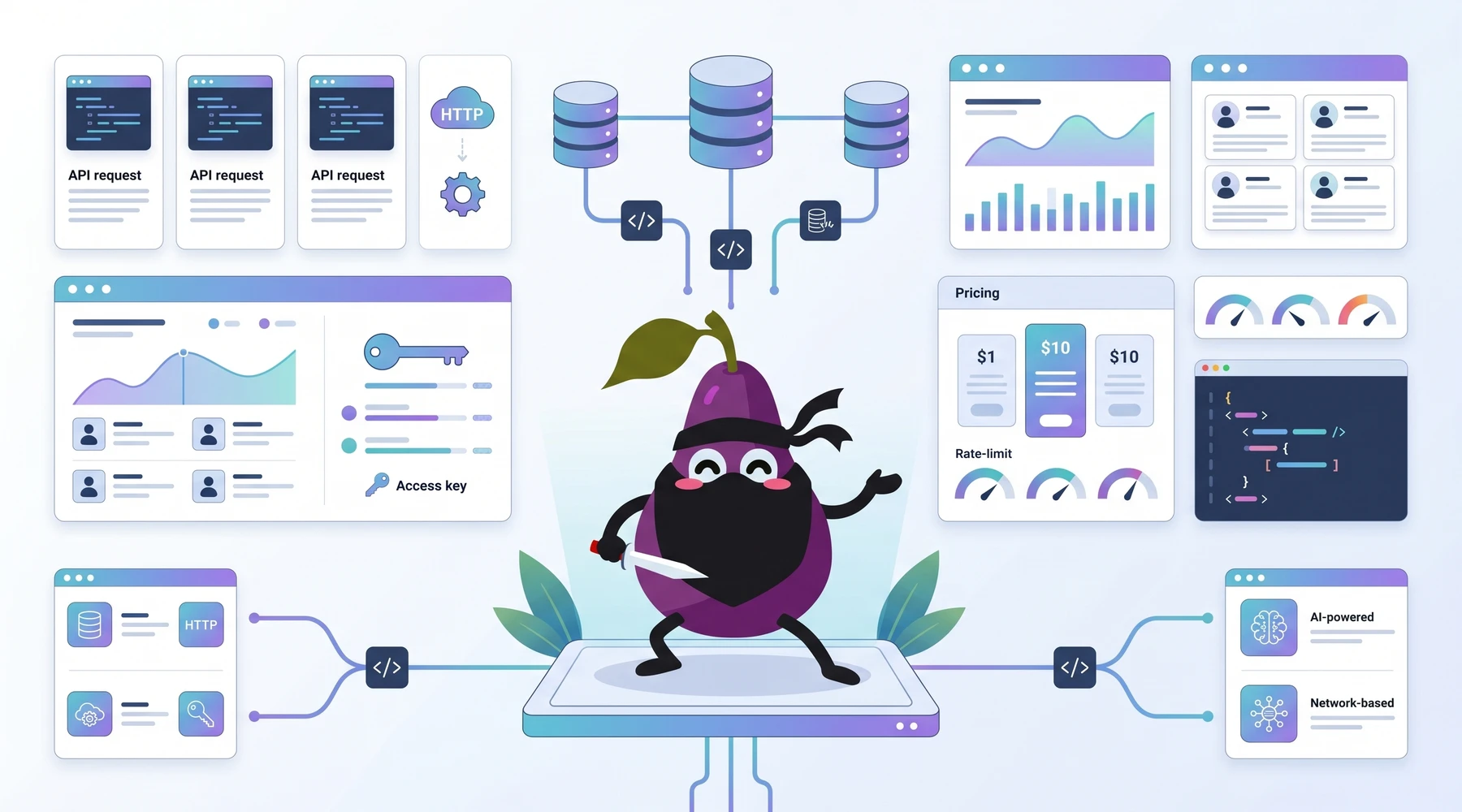
Given Crunchbase's plethora of company information, it would be a waste not to make the most of it. Thankfully, Crunchbase has its own API that allows you to access and integrate the website's data into your applications, everything from company profiles, funding histories, market trends, and competitive landscapes.
A Reddit user put the tradeoff pretty plainly:
Otherwise, if you get API access, you can basically get all their data. They don’t track usage but will rate-limit you. In general they seem to be pretty friendly about it if you’re a paying customer. Quality seems pretty decent, but given the nature of private companies, there no perfect data source.
But how do you access it? What does it cost? Is it worth it?
Welcome to the only Crunchbase API guide you will ever need. In this article, I will explore all Crunchbase API packages, discuss their features, show you a demo on how to access those APIs, and the costs associated with each. We'll end on a high note by comparing Crunchbase API with alternative solutions, including the now-sunset Proxycurl and NinjaPear, the platform its founder is building now.
Sounds fair? Let's begin.
Crunchbase API Packages
Crunchbase offers tailored API packages, four tiers of data access in exact. You have the freedom to choose between these packages depending on your application or use case.
Tier 1: Firmographics
Firmographic data outlines business characteristics, similar to how demographics outline the characteristics of individuals. The contents include industry type, company size, revenue, location, organizational structure and more. The purpose is to give you a full picture of a company’s role and position in the market.
Key Features
- Company name, type, and legal status.
- Industry classification and organizational structure.
- Revenue and employee size.
- Geographic location and operational reach.
Ideal For
- Sales Teams: Discover qualified leads based on industry, size, and geography to streamline outreach.
- Market Analysts: Enrich market research with detailed company profiles for competitive analysis.
- Risk Management Team: Mitigate partnership risks by verifying business legitimacy and foundational data.
- Business Developers: Evaluate competitors or partners with comprehensive organizational insights.
Tier 2: Basic Financials
Peek into company with the Basic Financials Package. A brief overview of financial metrics that look into a company's financial health and assist you in making informed investment decisions.
Features
- Basic financial metrics overview.
- Investment insights, including funding rounds and investor profiles.
Perfect For
- Financial Analysts: Develop in-depth reports and accurate financial forecasts.
- Investors: Screen and evaluate potential investment opportunities with comprehensive data on funding trends.
Tier 3: Advanced Financials
Perfect for those needing a granular analysis of detailed funding histories and complex financial health indicators. With details on funding histories, complex financial trends, and key financial metrics, it supports strategic decisions at the highest levels.
Features
- Exhaustive financial metrics, including funding histories and long-term trends.
- Advanced investment analysis tools for in-depth forecasting.
Perfect For
- Market Analysts: Conduct market and competitor evaluation for strategic planning or mergers, acquisitions and major investments.
Tier 4: Predictions and Insights
Complete Crunchbase unlocked! The Predictions and Insights package is a game-changer for businesses looking to stay ahead of the curve. You get real-time signals on critical events like layoffs, executive changes, or growth trends, for accurate decision-making.
Features
- Advanced insights and real-time signals, including funding predictions and news analytics.
- Predictive analytics for employee changes, product launches, and company performance.
Use Cases
- Investors: Venture capitalists and private equity firms use predictive data to identify promising startups and emerging companies.
- Sales Teams: Optimize outreach by targeting high-potential leads and businesses poised for growth.
- Recruiters: Spot scaling companies that are expanding and likely to hire executive talent.
How to Access Crunchbase APIs
The Basic API will give you access to firmographic data points like organization description, address, etc. You get access as soon as you register an account with Crunchbase through account settings.
Unregistered users can sign up for Crunchbase basic access. You get immediate access to an API key and can get started with exploring Crunchbase's Basic data as soon as the API key is activated, which typically takes 15 minutes to an hour.
One important update, because this changed and a lot of older blog posts still get it wrong: Crunchbase's own docs now state that they are no longer offering the Basic API to new users. If you already generated a Basic API key, you may still be able to view it, but you can no longer regenerate a new one.
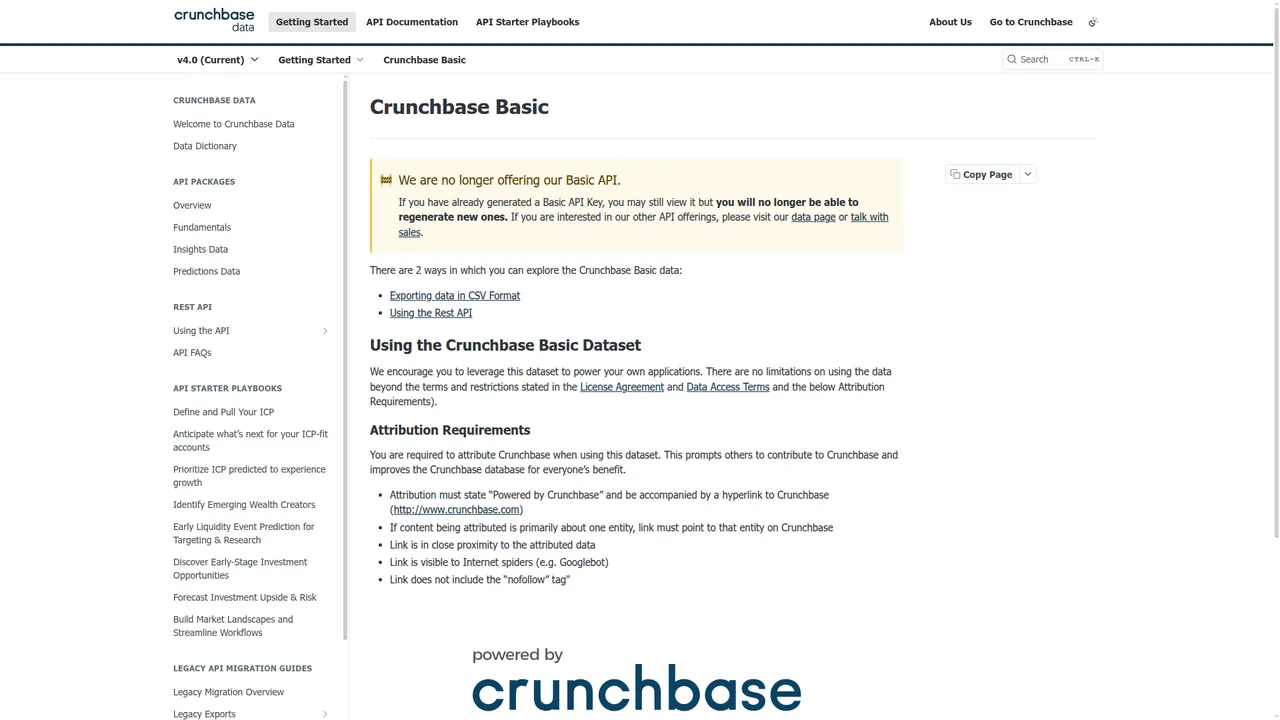
Crunchbase also has a robust API documentation at Crunchbase Basic docs if you need assistance. In case you are still not sure on the data fields you can access with the Basic Plan, check out Organization Attributes for Basic API for further clarification.
The Crunchbase Full API (currently v4.0) provides exclusive Crunchbase data, such as advanced firmographics, advanced financials, company insights, and more. For full API access, you will have to contact Crunchbase's sales team.
Demo Using Entity Lookup API
The Crunchbase API uses token-based authentication, which means that developers must pass their individual API Key parameter with every request.
The Entity Lookup API endpoints are provided so you can retrieve data, data fields and relationships from a specific entity. Crunchbase provides Entity Lookup endpoints for organizations, people, funding rounds, and acquisitions.
To make a request using the Entity Lookup APIs, you must provide the following:
- a user key
- an
{entity_id}, which can either be the UUID or the permalink (e.g.,tesla-motors) of the entity
You can also ask for additional data fields and relationships in the response by adding the field_ids and/or card_ids parameters to the request. Here is an example below:
GET https://api.crunchbase.com/v4/data/entities/organizations/tesla-motors?card_ids=founders,raised_funding_rounds&field_ids=categories,short_description,rank_org_company,founded_on,website,facebook,created_at&user_key=INSERT_KEY_HERE
Example Entity Lookup Request
Entity Lookup API is one of the APIs Crunchbase provides where you can pull up information from a specific entity.
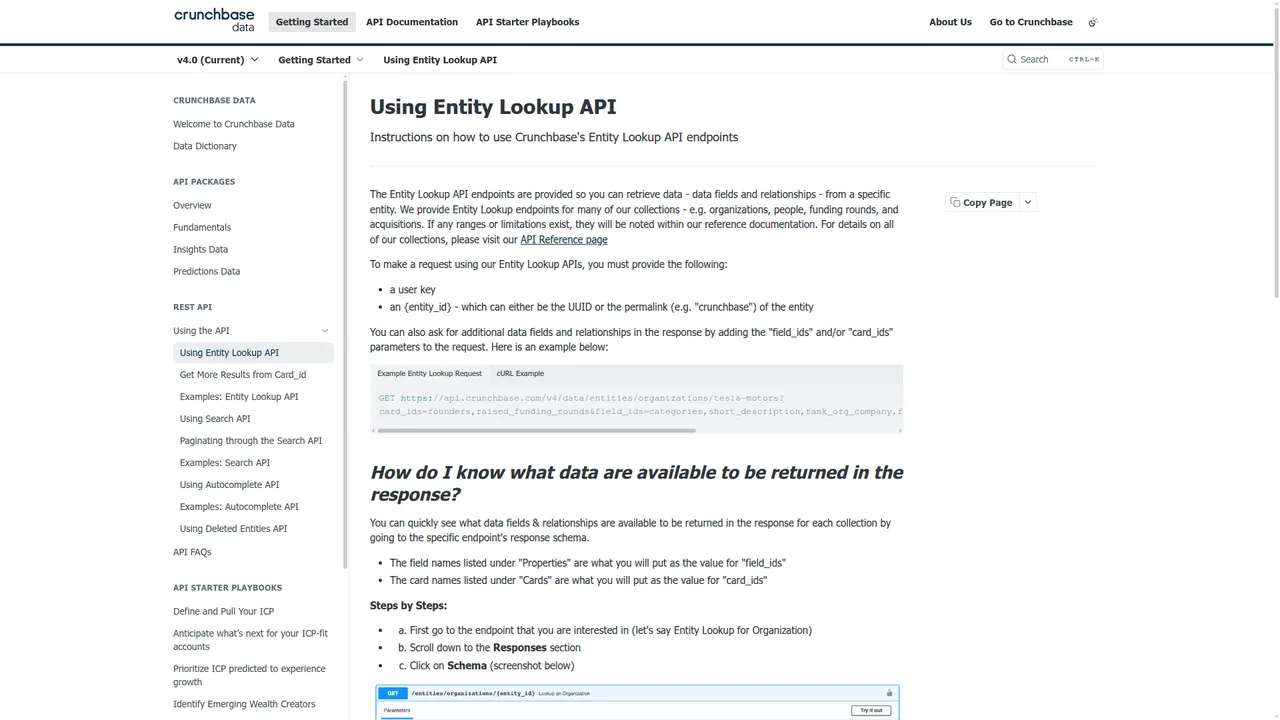
Here's an example request using Entity Lookup API. Let's try and pull company information of Tesla Motors.
GET https://api.crunchbase.com/v4/data/entities/organizations/tesla-motors?card_ids=founders,raised_funding_rounds&field_ids=categories,short_description,rank_org_company,founded_on,website,facebook,created_at&user_key=INSERT_KEY_HERE
And here's the response it generates:
{
  "properties": {
    "identifier": {
      "uuid": "a367b036-5952-5435-7541-ad7ee8869e24",
      "value": "Tesla",
      "image_id": "dj8rndg9wkqkpgvplvzi",
      "permalink": "tesla-motors",
      "entity_def_id": "organization"
    },
    "short_description": "Tesla Motors is an electric vehicle and clean energy company that provides electric cars, solar, and renewable energy solutions.",
    "facebook": {
      "value": "https://www.facebook.com/TeslaMotorsCorp"
    },
    "created_at": "2007-12-24T13:25:13Z",
    "rank_org_company": 2978
  }
}
Crunchbase documentation is pretty solid. If you find yourself in a tight corners, you can check out Crunchbase documentation at Using the API tab for your assistance.
Full Crunchbase Plans and API Options
Crunchbase has several subscription and API access plans, so it can get a bit confusing. Let me break it down in the simplest way possible.
Subscription Plans
The overall access tiers for using Crunchbase’s services. This is what you'll find on their pricing page. Each tier unlocks different levels of data and features:
- Pro Plan: Access to private company data, investor profiles, and growth signals.
- Business Plan: For teams that need exports, CRM integrations, contact data, and support.
-
API Plan: Designed for larger teams or companies with the most comprehensive access to data, bulk exports, and API integration. Within the API plan, Crunchbase offers specific data packages that cater to different needs (what I talked about earlier):
-
Firmographics: Company data including size, location, and industry.
- Basic Financials: Surficial financial data like funding rounds.
- Advanced Financials: Detailed financial data, including revenue estimates and valuation.
- Predictions and Insights: The most comprehensive package, with advanced insights and real-time signals on companies.
API Access
API access tiers allows you to integrate Crunchbase data into your systems based on your requirements. There are two main API packages:
- Basic API: Limited access to datasets and usage quotas.
- Full API: Full access to Crunchbase's datasets, granular information and higher usage limits. See What is the difference between the Crunchbase Basic API vs Full API?
Your Subscription Plan (Pro, Business or API) determines your level of access to Crunchbase’s data. You can select between the Basic or Full API to further enhance that access depending on your use case. Furthermore, you can focus on specific types of data under the API Plan through the Firmographics, Basic Financials, Advanced Financials, or Predictions and Insights data packages.
Crunchbase Pricing
Here's an overview of the plans and pricing Crunchbase offers, with their subsequent features.
| Subscription Plan | Price | Features |
|---|---|---|
| Pro Plan | $49/mo billed annually OR $99/mo billed monthly | 4M+ private companies with all company and investor profile data, including growth signals and AI-powered insights |
| Business Plan | Starting at $199/mo billed annually | Everything in Pro, plus 5k exports per month, contact data, CRM integrations, auto-enrichment add-ons, and customer success support |
| API Plan | Custom usage and pricing | Proprietary company intelligence, live company data at scale, 200 calls/min, predictions and insights, plus bulk export API data via CSV |
That pricing split is the part most people miss. Crunchbase sells a research product and an API product, and the overlap is not clean. I have seen teams assume Pro automatically means meaningful API access. It does not.
I tried to pull a live pricing screenshot for this update, but Crunchbase's pricing page is currently gated behind session verification in-browser. I am leaving the verified pricing table here and not forcing in a broken image. Better no image than a dead one.
Crunchbase API Limitations
Crunchbase API is not without its flaws. Keep in mind their product limitations are your usage limitations so think of this like a heads up.
- Rate Limits: Crunchbase has a rate limit of 200 calls per minute for their API endpoints. They claim it as a wall to protect the platform and ensure consistent reliability and performance. It could be limiting for corporations that work with bulk data.
- Export Limits: If you're subscribed to Crunchbase Pro, you can see full search results, but cannot export them. Crunchbase Business subscribers are also limited to 5K rows of exports per month.
- Inaccurate Information: Crunchbase relies on self-reported information from various sources, which may not always be accurate or up-to-date. Additionally, information is volatile in the business world, making it difficult for any database to maintain a completely accurate record.
- Costly at Scale: While basic access is free, higher usage or premium features come with significant costs, making it hard for startups and small businesses to consider Crunchbase API as an option.
- Attribution Requirements: Usually, people pay premium money to get rid of an annoying watermark. However, with Crunchbase, the licensees must attribute content sourced when made available or visible to any third party. Attribution must state
Powered by Crunchbaseand be accompanied by a hyperlink to Crunchbase.
Another Reddit comment said the quiet part out loud:
That’s a solid build-Crunchbase’s API can be limiting and expensive. When I needed access to company data for a client tool, I ended up combining a custom Airtable stack with UpLead for lead enrichment. Not as slick as a fully integrated API, but it was lean and fast to get going.
If your business depends on accurate and reliable data, you should not pull any stops while choosing your provider. With so many limitations, it really makes you reconsider your standing on Crunchbase API. But you're not out of options just yet.
Enter Proxycurl
Update: Proxycurl has been sunset. I am retaining this section because the original comparison is still useful context, but the founder behind Proxycurl is now building NinjaPear, which I cover right after this section.
Proxycurl was a paid API that focused on people and company enrichment from sources like LinkedIn and Crunchbase. Real-time scraping to historical data, it had a wide range of enrichment use cases. The biggest reason people used it was that it was designed to fit into existing systems and workflows.
I do admit that Proxycurl was a platform designed for developers. But you didn't need rocket science or expert technical proficiency to figure out how it worked. In fact, let me show you how easy it was to pull fresh company data using the Company Profile Endpoint.
Demo Using Proxycurl Company Profile Endpoint
Start off by creating a free account with Proxycurl. You got free credits upon signup so you didn't need to pay right away. Head on to your dashboard and get a unique API key. You needed this key for authentication.
Using the Company Profile Endpoint, let’s try and pull up information about Tesla Motors like we did with Crunchbase API.
The Proxycurl Company Profile API endpoint was:
https://api.proxycurl.com/v2/company/profile
Your API key should be included as a header:
Authorization: Bearer YOUR_API_KEY
To search for Tesla Motors, the parameter url could be used to pass Tesla's LinkedIn URL:
{
  "url": "https://www.linkedin.com/company/tesla-motors/"
}
Example Request and Response
Here's what your full request looked like in Python.
import requests

API_KEY = "YOUR_API_KEY"
URL = "https://api.proxycurl.com/v2/company"

payload = {
    "url": "https://www.linkedin.com/company/tesla-motors/"
}

headers = {
    "Authorization": f"Bearer {API_KEY}"
}

response = requests.get(URL, headers=headers, params=payload)

if response.status_code == 200:
    data = response.json()
    print("Company Name:", data.get("name"))
    print("Website:", data.get("website"))
    print("Headquarters:", data.get("headquarters_location"))
    print("Industry:", data.get("industry"))
    print("Employee Count:", data.get("employee_count"))
else:
    print("Error:", response.status_code, response.text)
What you got was a JSON response with Tesla’s details.
{
  "name": "Tesla Motors",
  "website": "https://www.tesla.com",
  "industry": "Automotive",
  "headquarters_location": "Palo Alto, California, United States",
  "employee_count": 10000,
  "founded_year": 2003,
  "linkedin_url": "https://www.linkedin.com/company/tesla-motors/",
  "description": "Tesla, Inc. is an American electric vehicle and clean energy company ..."
}
Depending on what data fields you needed, you could add or remove them. It was that easy.
NinjaPear as the modern alternative
If you're reading this in 2026 and you landed here because you need an actual alternative, this is the part that matters.
Proxycurl is gone. The founder behind it is now building NinjaPear, and the product direction is different. Less "mirror LinkedIn" energy, more competitive intelligence plus enrichment from public web data.
The pitch is simple:
- company profile data
- person profile enrichment
- employee count
- work email lookup
- customer intelligence
- competitor monitoring
That last part is why I think NinjaPear belongs in this article. Crunchbase is strong when your world revolves around firms, funding, and investor-style research. NinjaPear is stronger when your world revolves around GTM execution, competitive monitoring, customer discovery, and moving on live signals.
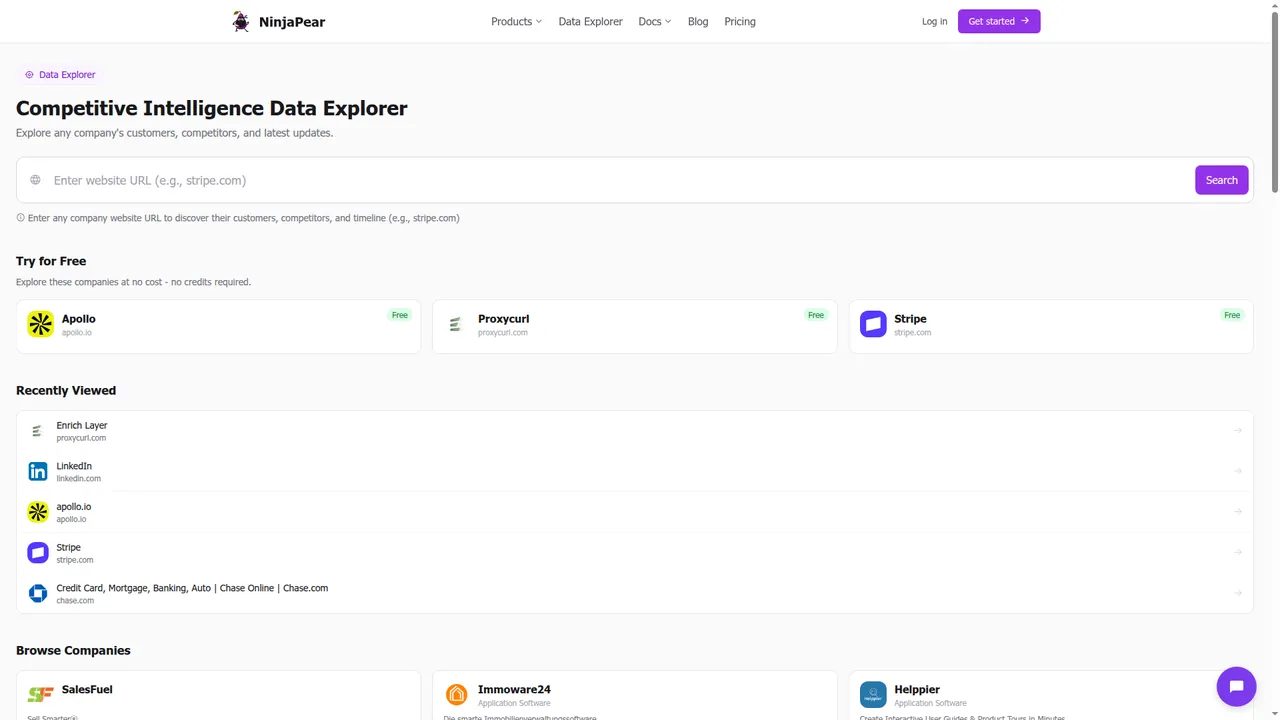
A good example is the Company API. The product page is blunt about what it returns: industry, founders, headcount, funding, addresses, and updates. That is not identical to Crunchbase. It is a different shape of data, and for many sales or market-mapping workflows, it is the more useful shape.
Demo Using NinjaPear Company API
The simplest way to think about NinjaPear is this: plain REST endpoints, JSON in, JSON out, pay per call.
Here is a basic Python example using NinjaPear's company enrichment flow.
import os
import requests

API_KEY = os.environ["NP_KEY"]
url = "https://nubela.co/api/v1/company"
params = {
    "website": "https://tesla.com"
}
headers = {
    "Authorization": f"Bearer {API_KEY}"
}

response = requests.get(url, params=params, headers=headers)
response.raise_for_status()

data = response.json()
print(data)
And here is the kind of JSON shape NinjaPear publicly advertises:
{
  "name": "Stripe",
  "industry": "Payments",
  "employee_count": 8500,
  "funding_total_usd": 8700000000,
  "latest_update": "..."
}
If what you actually need is not just company metadata but motion, who sells to whom, who competes with whom, and what changed this week, NinjaPear is playing a different game than Crunchbase.
Crunchbase API vs Proxycurl vs NinjaPear
It's time to bring these options head-to-head. Since Proxycurl has been sunset, I am keeping it here as historical context and adding NinjaPear as the current option that matters.
| Metrics | Crunchbase API | Proxycurl API (sunset) | NinjaPear |
|---|---|---|---|
| Data quality | ⭐⭐⭐⭐☆ | ⭐⭐⭐⭐☆ | ⭐⭐⭐⭐☆ |
| Pricing | ⭐⭐☆☆☆ | ⭐⭐⭐⭐☆ | ⭐⭐⭐⭐⭐ |
| Ease of use | ⭐⭐⭐☆ | ⭐⭐⭐⭐☆ | ⭐⭐⭐⭐☆ |
| API flexibility | ⭐⭐⭐☆ | ⭐⭐⭐⭐☆ | ⭐⭐⭐⭐⭐ |
| Freshness | ⭐⭐⭐☆☆ | ⭐⭐⭐⭐☆ | ⭐⭐⭐⭐⭐ |
| Best fit | Investor research | Enrichment | Competitive intel + enrichment |
| Average score | 3.17/5 | 4.00/5 | 4.50/5 |
Now, let's look at each of these metrics up close.
Data Collection
NinjaPear: Public web data, structured enrichment, and competitive intelligence data that goes beyond static company profiles. It is explicitly not built around scraping LinkedIn.
Proxycurl: Proxycurl scraped publicly available data in real-time from trusted sources such as LinkedIn and Crunchbase. What you got was accurate, up-to-date information for enrichment workflows.
Crunchbase: Crunchbase collects data from various sources, including:
- User-Generated Content: Content and submissions from the community, basically like Wikipedia.
- Partnerships with Data Providers: Crunchbase partners with reputable data providers to augment its database. These partnerships help increase the accuracy and depth of the data.
- Web Crawling and Automated Data Collection: Crunchbase uses web crawling and automated data collection methods to gather information from public sources.
| Feature | Crunchbase API | Proxycurl API | NinjaPear |
|---|---|---|---|
| Primary Data Sources | Public records, proprietary updates, user contributions | Trusted sources like LinkedIn and Crunchbase | Public web sources, company websites, structured competitive intelligence |
| Data Types | Business and financial details | Business and individual profiles | Business intelligence, updates, profiles, customer and competitor data |
| Focus | Funding, firmographics, and market analytics | Employment, people, and company profiles | GTM intelligence, enrichment, and monitoring |
Pricing
NinjaPear: A 3-day free trial, 10 credits included, no credit card required, and no monthly minimums. Pay-as-you-go is the whole point.
Proxycurl: You got free credits up front when you signed up. If you wanted more, you could choose a subscription plan or pay-as-you-go credits.
Crunchbase: Crunchbase offers a freemium-to-sales-led model. The Basic plan is free, Pro starts at $49/mo annually or $99/mo monthly, Business starts at $199/mo annually, and API is custom.
| Feature | Crunchbase API | Proxycurl API | NinjaPear |
|---|---|---|---|
| Free Access | Limited basic data only | Free credits upon signup | 3-day free trial, 10 credits |
| Pricing Model | Subscription + custom API contracts | Subscription + credit-based | Pay-as-you-go, no monthly minimums |
| Basic Paid Plan | Pro ($49/mo annual or $99/mo monthly) | Starter ($49/mo, historical context) | Usage-based |
Data Freshness
NinjaPear: Built around live company intelligence, including company changes across blogs, X posts, and website changes through Monitor API.
Proxycurl: Proxycurl provided real-time scraping, with a freshness guarantee. You had control over how fresh you wanted your data to be.
Crunchbase: Crunchbase regularly updates datasets, but it is still not a live-monitoring product.
| Feature | Crunchbase API | Proxycurl API | NinjaPear |
|---|---|---|---|
| Update Frequency | Periodic | Real-time for supported endpoints | Real-time monitoring + fresh enrichment |
| Real-time Insights | Limited | Better for enrichment freshness | Strong for org changes and company motion |
Rate Limits
NinjaPear: Pay per call, API-first, no monthly minimums. The platform is clearly built for programmatic use.
Proxycurl: Historically, Proxycurl advertised very generous throughput for high-volume users.
Crunchbase API: Restricted to 200 API requests per minute. Rate limits are based on subscription tiers. Lower tiers have stricter API call restrictions.
| Feature | Crunchbase API | Proxycurl API | NinjaPear |
|---|---|---|---|
| Rate Limit | 200 requests per minute | High-volume historical positioning | API-first usage model |
| Scalability | Limited by tier and contract | Strong for enrichment at scale | Strong for enrichment and monitoring workflows |
Customization
NinjaPear: You are not boxed into just one data shape. You can work through API endpoints, spreadsheets, or AI agents depending on how your team operates.
Proxycurl: You got granular control over API requests and could tailor data fields according to your needs.
Crunchbase API: Offers predefined data packages that limit customization to the provided dataset categories. You have to work within these constraints.
| Feature | Crunchbase API | Proxycurl API | NinjaPear |
|---|---|---|---|
| Data Structure | Predefined packages | Granular data fields | Multiple product surfaces + API |
| Adaptability | Limited to standard business tools | Flexible for bespoke applications | Flexible for GTM, research, and agent workflows |
| Developer Control | Fixed endpoints and data outputs | Fine-tuned API responses | Plain REST endpoints, JSON in / JSON out |
Best For
NinjaPear: Sales teams, competitive intelligence teams, investors tracking portfolio motion, and anyone who wants to know not just what a company is, but what it is doing.
Proxycurl: If there was one thing Proxycurl did best, it was enriching people and company data. It was ideal for recruitment, lead generation, and CRM enhancements.
Crunchbase API: Crunchbase is more geared toward research than anything else. It empowers venture capitalists, sales teams, and analysts with detailed insights into company financials, funding histories, and market trends.
| Feature | Crunchbase API | Proxycurl API | NinjaPear |
|---|---|---|---|
| Focus | Investment and financial insights | LinkedIn-based people and company data | Competitive intelligence and enrichment |
| Primary Data | Firmographics, funding, financials | Company and individual profiles | Customers, competitors, updates, profiles |
| Best For | Investors, analysts, strategists | Sales teams, marketers, recruiters | GTM teams, revops, founders, analysts |
| Use Cases | Market intelligence, due diligence | CRM enrichment, lead generation | Account monitoring, prospecting, market mapping |
Legal Compliance
NinjaPear: The public positioning is clear: publicly sourced data, no scraping behind login walls, and no dependency on LinkedIn.
Proxycurl: Proxycurl positioned itself as GDPR and CCPA compliant.
Crunchbase: Matching stride here, Crunchbase is also GDPR and CCPA compliant.
| Feature | Crunchbase API | Proxycurl API | NinjaPear |
|---|---|---|---|
| GDPR | ✅ | ✅ | ✅ |
| CCPA | ✅ | ✅ | ✅ |
The Bottomline
Crunchbase API is certainly a viable option if you're looking to harvest Crunchbase's data. If your use case is centered on startup research, funding history, investor discovery, and company lookups, it still does the job.
But the original version of this article ended with Proxycurl, and time moved on. Proxycurl has been sunset. The more relevant update is this: if what you need is live GTM intelligence, public-web company enrichment, customer discovery, competitive monitoring, or API-first workflows without getting dragged into enterprise-sales theater too early, look at NinjaPear.
I would put it this way.
- Choose Crunchbase API if you want Crunchbase's proprietary dataset.
- Choose NinjaPear if you want fresher company motion, competitive intelligence, and enrichment built for operators.
- Read the old Proxycurl section as historical context, not as a buying recommendation.
If you already know your workflow depends on company changes, customer intelligence, or fast enrichment, go try NinjaPear's 3-day free trial and make a few calls yourself. That is still the fastest way to tell if the data fits your stack.
Is Crunchbase API free?
You get basic access when you register an account with Crunchbase. That is the historical answer. The current answer is trickier: Crunchbase's docs now say they are no longer offering the Basic API to new users, though existing generated keys may still be viewable.
What are the limitations of Crunchbase API?
There is a rate limit of 200 calls per minute for Crunchbase API. Crunchbase Business users are also limited to 5,000 export rows per month, and deeper API access moves into custom pricing.
How to get data from Crunchbase?
First, locate your unique user key from your Crunchbase account. Then make requests to the relevant API endpoint and include the user_key parameter. For exports, Crunchbase can also provide downloadable CSV workflows depending on your plan.
Is it legal to scrape Crunchbase?
Legality depends on jurisdiction, contract terms, and how the data is accessed or republished. If you are making a business decision here, talk to counsel and read Crunchbase's terms. Do not treat a blog post, including this one, as legal advice.
How do I export from Crunchbase to Excel?
Build a search or create a list, then click the Export To CSV button in the upper right-hand corner if your plan allows it. The downloaded file can be opened with Excel, Google Sheets, OpenOffice, or another spreadsheet tool of your choice.
