
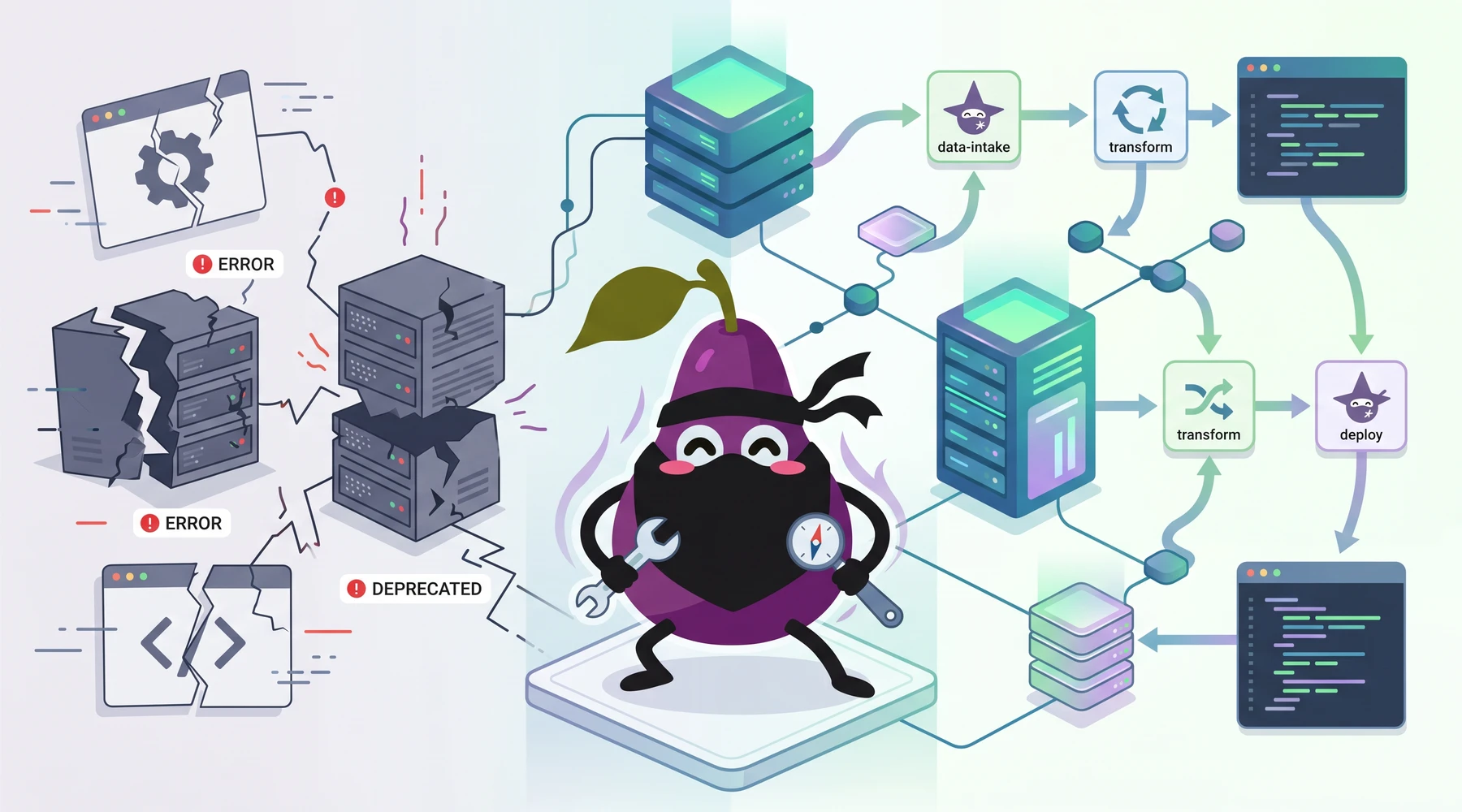
I am the founder of Proxycurl, and if you do not know it yet, I have shut Proxycurl down and NinjaPear is what comes after Proxycurl. If you are searching for proxycurl api in 2026, the practical question is not whether it still works. It does not. The practical question is which Proxycurl API workflow you were trying to use, and whether NinjaPear now solves that workflow better. This guide covers the status, the old API groups, why the product was killed, and the technical replacement paths I would use now.
I used to rely on Proxycurl for pulling enriched B2B contact and company data... Unfortunately, they shut down recently.
Why was Proxycurl shut down?
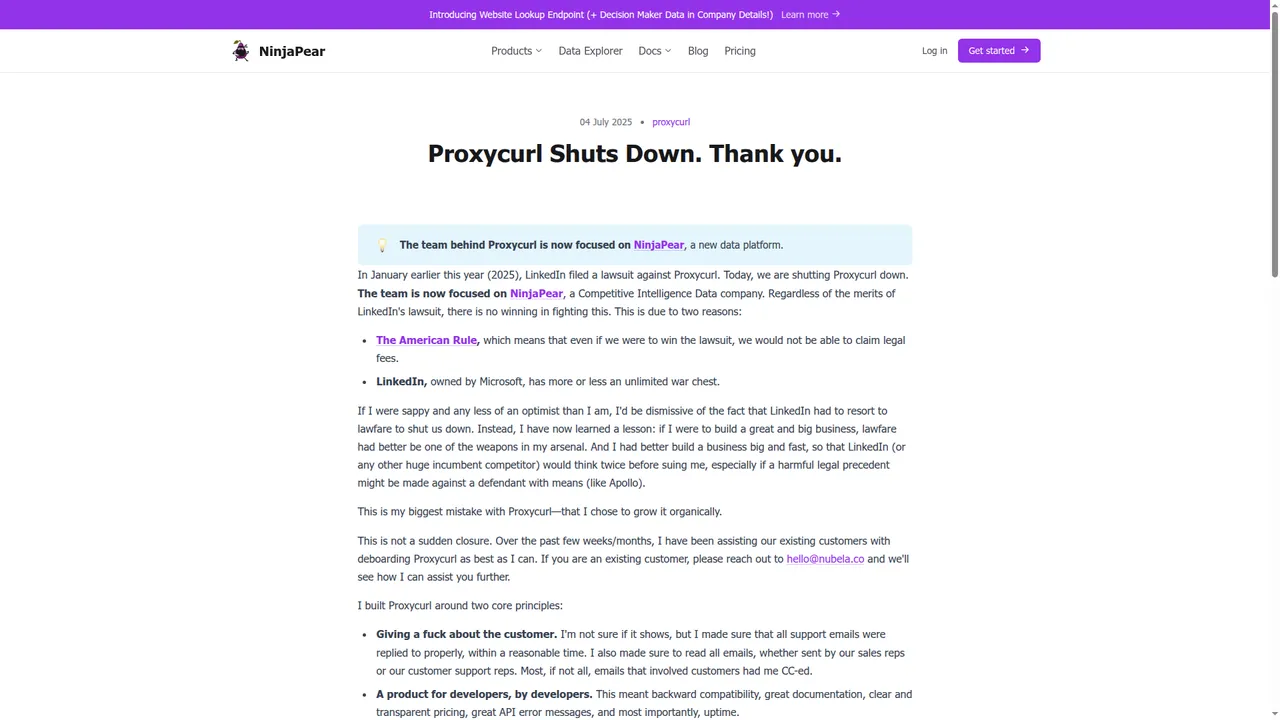
Proxycurl was shut down because LinkedIn sued us in January 2025. I wrote that in the shutdown post: "In January earlier this year (2025), LinkedIn filed a lawsuit against Proxycurl. Today, we are shutting Proxycurl down."
Even though we settled, we do not want customers to carry a legal risk forward with an adversary like LinkedIn with near unlimited resources. That is why NinjaPear exists.
I avoid relying on solutions who might be down any time honestly.
What Proxycurl API is now
Proxycurl is shut down. Old docs, old blog posts, and old code samples still exist. Treat them as historical reference only.
What was Proxycurl API?
Proxycurl API was a set of developer APIs for getting structured people and company data, much of it keyed off LinkedIn URLs as the canonical identifier for entities, people or companies. As the founder, I have got to be honest: ~50% of revenue came from scraping LinkedIn. That is exactly why the legal risk was existential.
The simplest way to understand Proxycurl is by the jobs each endpoint did.
- Get a person’s structured professional profile from a LinkedIn URL with the Person Profile Endpoint.
- Resolve a person from a name plus company with the Person Lookup Endpoint.
- Find the likely decision maker at a company with the Role Lookup Endpoint.
- Search for people with filters like country, past company, and title with the Person Search Endpoint.
- Get a company’s structured profile from its LinkedIn company URL with the Company Profile Endpoint.
- Resolve a company from its name with the Company Lookup Endpoint.
- Get the employee count of a company with the Employee Count Endpoint.
- Get a company logo with the Company Profile Picture Endpoint.
- List current or past employees of a company with the Employee Listing Endpoint.
- Count how many employees a company had in the public dataset with the Employee Listing Count Endpoint.
- Search employees inside a company with the Employee Search Endpoint.
- Find a work email with the Work Email Lookup Endpoint.
- Reverse a work email back to a person or company with the Reverse Work Email Lookup Endpoint.
- Find a personal email with the Personal Email Lookup Endpoint.
- Find a personal phone number with the Personal Contact Number Lookup Endpoint.
- Get a person’s profile picture with the Person Profile Picture Endpoint.
- Run lightweight checks such as disposable email detection with utility endpoints.
That was the real product. A pile of specific endpoints developers used to enrich CRMs, build outbound tools, source candidates, and power internal search.
The API groups and endpoints
People API
The People API handled person resolution, enrichment, search, and profile assets.
Representative endpoints:
Person Profile EndpointPerson Lookup EndpointRole Lookup EndpointPerson Search EndpointPerson Profile Picture Endpoint
What engineers used it for:
- enrich a lead from a LinkedIn URL
- turn a name plus company into a canonical profile
- find a VP Sales, CTO, or recruiter at a target account
- search for prospects by role history or geography
- add a profile photo to a UI
Why it worked: the response shape was simple, the docs were clear, and the LinkedIn URL made a convenient canonical key.
Why it was fragile: if the canonical object in your architecture is a LinkedIn URL, your whole system is downstream of LinkedIn.
Company API
The Company API handled company identity, enrichment, and count-style lookups.
Representative endpoints:
Company Profile EndpointCompany Lookup EndpointEmployee Count EndpointCompany Profile Picture Endpoint
What engineers used it for:
- enrich company records in a CRM
- estimate account size before routing or scoring
- attach company logos to records
- resolve messy company names to a canonical entity
This part of Proxycurl was less dramatic than the people side. The object was the company. But the same dependency still sat underneath when LinkedIn company URLs were part of the workflow.
Contact API
The Contact API handled reachability.
Representative endpoints:
Work Email Lookup EndpointReverse Work Email Lookup EndpointPersonal Email Lookup EndpointPersonal Contact Number Lookup Endpoint
What engineers used it for:
- append work email to a lead
- find a personal fallback email
- add a phone number to an outbound sequence
- reverse-resolve an email already sitting in a CRM
One technical point matters here: these fields were not literally scraped from LinkedIn profiles. They came from other sources tied back to the identity object.
Employee Listing API
This was one of the most commercially useful parts of Proxycurl.
Representative endpoints:
Employee Listing EndpointEmployee Listing Count EndpointEmployee Search Endpoint
What engineers used it for:
- list employees at a target account
- find current or past employees of a competitor
- build account plans around named people
- source candidates from specific orgs
The economics were explicit in old docs. Employee Listing was priced at 5 credits per employee returned with a 10-credit minimum. Employee Listing Count was 10 credits per call. That alone tells you this was a heavy endpoint backed by heavy infrastructure.
Search API
The Search API was the headless prospecting surface.
Representative endpoints:
Person Search EndpointCompany Search Endpoint
What engineers used it for:
- build prospect lists from filters
- source candidates from competitor companies
- create segments by role, geo, or experience
- power search inside internal tools
One Proxycurl write-up referenced 46 filters on Person Search. That is why people liked it. You could treat it like programmable Sales Navigator.
Utility endpoints
These were the small but useful endpoints.
Representative endpoints:
Person Profile Picture EndpointCompany Profile Picture Endpoint- disposable email checks
- smaller validation helpers
What engineers used them for:
- clean up product UI
- block throwaway signups
- enrich records without paying for a bigger call
NinjaPear API comes after Proxycurl API, by the same founder
NinjaPear is the API platform I built after Proxycurl.
It does not scrape LinkedIn.
It is built around different primitives:
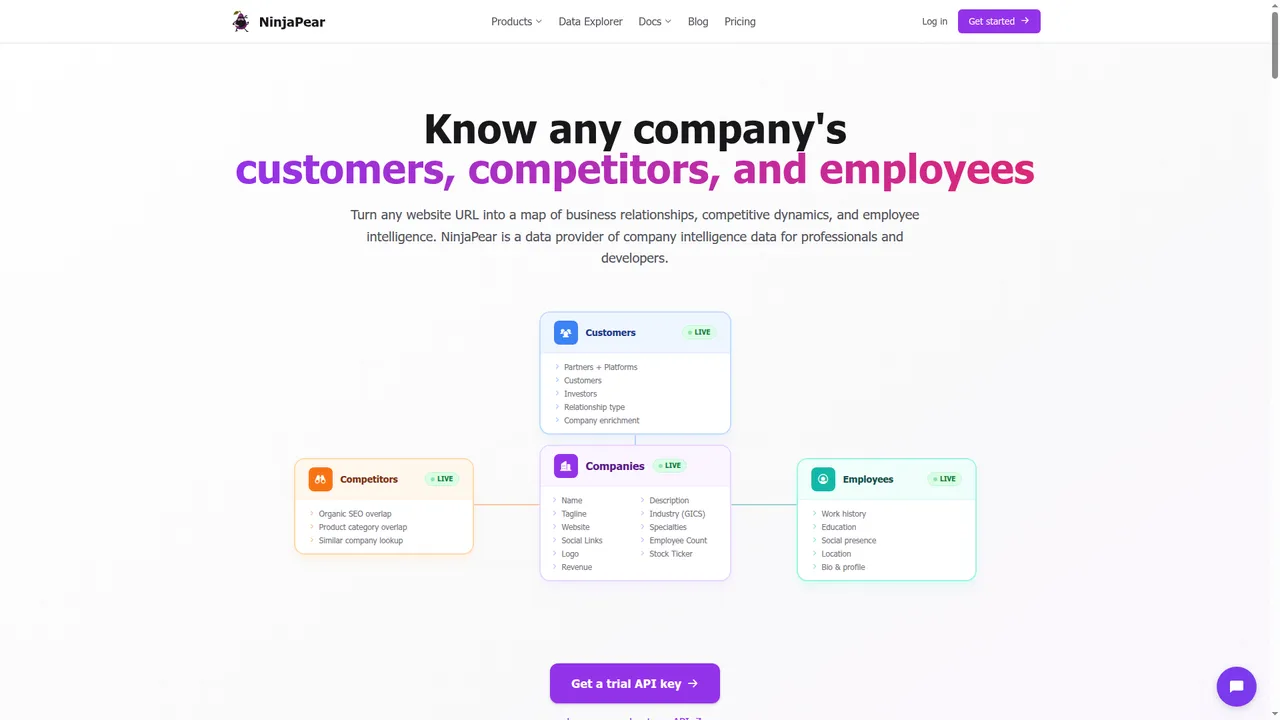
- companies
- employees from public sources
- customers
- competitors
- updates and monitoring feeds
The easiest way to understand NinjaPear is the same way.
- Get a list of customers, investors, and partners of any company with the Customer Listing Endpoint.
- Find competitors of any company and why they compete with the Competitor Listing Endpoint.
- Get the logo of any company for free with the Company Logo Endpoint.
- Get full company details like industry, description, executives, and office locations with the Company Details Endpoint.
- Get the employee count of any company with the Employee Count Endpoint.
- Get recent blog posts and social media updates of any company with the Company Updates Endpoint.
- Get the full funding history and investors of any company with the Company Funding Endpoint.
- Resolve a company name to its canonical website URL with the Website Lookup Endpoint.
- Find the work email of a person given their name and company domain with the Work Email Endpoint.
- Look up a person's profile, job history, and education from their work email with the Person Profile Endpoint.
- Find people similar to a target person, same role at competing companies, with the Similar People Endpoint.
- Check if an email address is disposable or from a free email provider with the Disposable Email Checker Endpoint.
- Monitor companies for new blog posts, tweets, and website changes via RSS with the Monitor API.
- Check your remaining API credits with the View Credit Balance Endpoint.
Current product surfaces shown on the site include Customer API, Company API, Employee API, Monitor API, and Competitor API.
A few current numbers matter:
- Company Details: 2 credits per call
- Employee Count: 2 credits per call
- Company Updates: 2 credits per call
- Company Funding: 2+ credits per call
- Customer Listing: 1 credit per request + 2 credits per customer returned
- 3-day free trial: 10 credits included
Ex-CEO of Proxycurl here. I built NinjaPear after shutting Proxycurl down. It does not scrape LinkedIn and it is built around companies, customers, competitors, employee profiles from public sources, and monitoring.
This is a broader data model than Proxycurl had. The first object is usually the company website, not the LinkedIn URL.
Is NinjaPear API the same as Proxycurl API?
No.
Here is the comparison that matters.
| Factor | Proxycurl | NinjaPear | Winner |
|---|---|---|---|
| Canonical entity key | LinkedIn URL | Company website / public-web identity | NinjaPear |
| Person enrichment | LinkedIn-shaped profile object | Public-web employee profile object | Depends |
| Company enrichment | Company profile + employee count | Details + count + updates + funding | NinjaPear |
| Customer / partner / investor graph | Weak | Strong | NinjaPear |
| Competitor graph | Weak | Strong | NinjaPear |
| Monitoring | Repeated enrichment or indirect detection | Blog + website + X updates | NinjaPear |
| Direct LinkedIn mirroring | Yes | No | Proxycurl |
| Legal durability | Low | Higher | NinjaPear |
And here is the endpoint-level view.
| Proxycurl API group | Representative endpoint(s) | Use case | Closest NinjaPear API | Technical change | Gain | Loss |
|---|---|---|---|---|---|---|
| People API | Person Profile, Person Lookup, Role Lookup | Prospect enrichment | Employee API | Stop using LinkedIn URL as the primary object | Lower legal risk, broader public-web sourcing | Not a LinkedIn mirror |
| Company API | Company Profile, Company Lookup, Employee Count | Account enrichment | Company API | Website becomes the canonical key | Details, count, updates, funding | Different schema |
| Contact API | Work Email, Personal Email, Phone | Outbound prep | Work Email + Employee workflows | Less profile-centric | Cleaner public-web model | Not field-for-field |
| Employee Listing API | Employee Listing, Employee Search | Org mapping | Employee + Company workflows | Not a literal roster clone | Better fit for account research | No LinkedIn roster mirror |
| Search API | Person Search, Company Search | Prospecting | Customer API + Competitor API + Company API | Start from account relationships | Better signal for GTM | Less familiar to profile-first teams |
| Signals workflow | Repeated enrichments and compare | Timing signals | Monitor API | Use update feeds | Better company timing signal | Not pure job-change only |
The important part is this: NinjaPear solves many of the same business jobs, but it does not do so by pretending LinkedIn is the center of the universe.
What you should build now
If your old use case was person enrichment
Use the Employee API when the real need is to identify a professional from public signals and return work history, education, location, bio, and social presence.
NinjaPear published launch match-rate data for this endpoint:
| Input method | Profiles found | Accuracy | Winner |
|---|---|---|---|
| Work email | 10/10 | ⭐⭐⭐⭐⭐ | Work email |
| Name + company | 9/10 | ⭐⭐⭐⭐☆ | Work email |
| Role + company | 7/10 | ⭐⭐⭐☆☆ | Work email |
If you have a work email, use it. That is the cleanest identity anchor.
curl -G "https://nubela.co/api/v1/employee/profile" \
  --data-urlencode "work_email=[email protected]" \
  -H "Authorization: Bearer YOUR_API_KEY"
import ninjapear

configuration = ninjapear.Configuration(
    host="https://nubela.co",
    access_token="YOUR_API_KEY",
)

with ninjapear.ApiClient(configuration) as api_client:
    api = ninjapear.EmployeeAPIApi(api_client)
    response = api.get_person_profile(work_email="[email protected]")
    print(response)
const NinjaPear = require("ninjapear");
const defaultClient = NinjaPear.ApiClient.instance;
defaultClient.authentications["bearerAuth"].accessToken = "YOUR_API_KEY";

const api = new NinjaPear.EmployeeAPIApi();
api.getPersonProfile({ workEmail: "[email protected]" }).then((data) => {
  console.log(data);
});
If your old use case was company enrichment
Use the Company API.
Current company endpoints on the site include:
GET /api/v1/company/detailsGET /api/v1/company/employee-countGET /api/v1/company/updatesGET /api/v1/company/funding
curl -G "https://nubela.co/api/v1/company/details" \
  --data-urlencode "website=https://stripe.com" \
  -H "Authorization: Bearer YOUR_API_KEY"
import ninjapear

configuration = ninjapear.Configuration(
    host="https://nubela.co",
    access_token="YOUR_API_KEY",
)

with ninjapear.ApiClient(configuration) as api_client:
    api = ninjapear.CompanyAPIApi(api_client)
    response = api.get_company_details(website="https://stripe.com")
    print(response)
const NinjaPear = require("ninjapear");
const defaultClient = NinjaPear.ApiClient.instance;
defaultClient.authentications["bearerAuth"].accessToken = "YOUR_API_KEY";

const api = new NinjaPear.CompanyAPIApi();
api.getCompanyDetails("https://stripe.com").then((data) => {
  console.log(data);
});
If your old use case was employee listing
Be honest about what you actually need.
If you need a pixel-perfect public LinkedIn roster, NinjaPear is not that.
If you need to identify relevant people at a company with lower legal risk, use:
- Employee API for person-level enrichment
- Company API for company context
- Customer and Competitor APIs if the real job is account selection, not staff enumeration
This is where a lot of teams fool themselves. They ask for an employee list when what they really need is a way to find buying committees.
If your old use case was buyer discovery
Use relationship data instead of profile search as the center of your architecture.
With NinjaPear, you can start from:
- customer lists
- investors
- partners and platforms
- competitors by SEO overlap
- competitors by product category overlap
curl -G "https://nubela.co/api/v1/customer/listing" \
  --data-urlencode "website=https://shopify.com" \
  -H "Authorization: Bearer YOUR_API_KEY"
import ninjapear

configuration = ninjapear.Configuration(
    host="https://nubela.co",
    access_token="YOUR_API_KEY",
)

with ninjapear.ApiClient(configuration) as api_client:
    api = ninjapear.CustomerAPIApi(api_client)
    response = api.get_customer_listing(website="https://shopify.com")
    print(response)
const NinjaPear = require("ninjapear");
const defaultClient = NinjaPear.ApiClient.instance;
defaultClient.authentications["bearerAuth"].accessToken = "YOUR_API_KEY";

const api = new NinjaPear.CustomerAPIApi();
api.getCustomerListing("https://shopify.com").then((data) => {
  console.log(data);
});
This is a better GTM primitive most of the time. Customer graphs and competitor graphs tell you where to fish. A scraped profile usually just tells you who is in the water.
If your old use case was timing signals
Use Monitor API or Company Monitor.
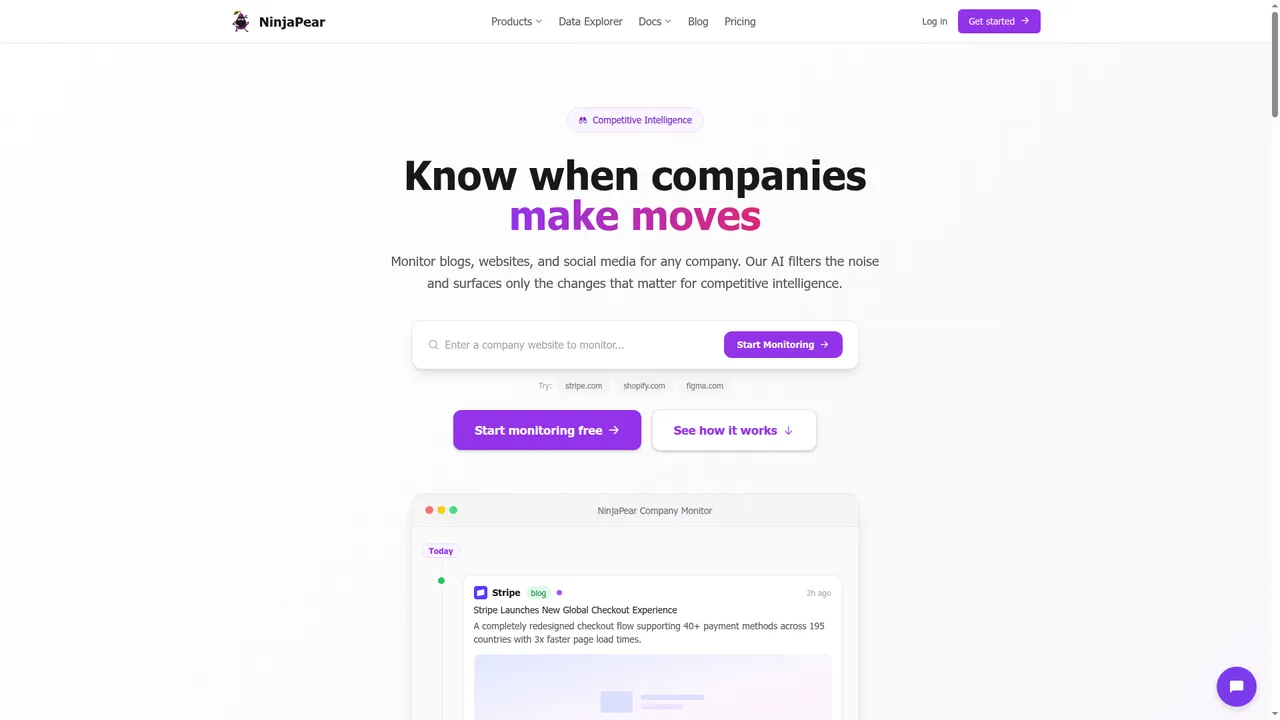
NinjaPear’s public Company Monitor page shows three monitored source types:
- blog posts
- website changes
- X posts
curl -G "https://nubela.co/api/v1/company/updates" \
  --data-urlencode "website=https://stripe.com" \
  -H "Authorization: Bearer YOUR_API_KEY"
import ninjapear

configuration = ninjapear.Configuration(
    host="https://nubela.co",
    access_token="YOUR_API_KEY",
)

with ninjapear.ApiClient(configuration) as api_client:
    api = ninjapear.CompanyAPIApi(api_client)
    response = api.get_company_updates(website="https://stripe.com")
    print(response)
const NinjaPear = require("ninjapear");
const defaultClient = NinjaPear.ApiClient.instance;
defaultClient.authentications["bearerAuth"].accessToken = "YOUR_API_KEY";

const api = new NinjaPear.CompanyAPIApi();
api.getCompanyUpdates("https://stripe.com").then((data) => {
  console.log(data);
});
For sales teams and competitive-intel teams, that is often better than polling stale profile objects and pretending that is intent data.
FAQ
Is Proxycurl API still available?
No.
Why was Proxycurl API shut down?
Because LinkedIn sued Proxycurl in 2025. We settled, and I do not want customers carrying that legal risk forward.
Can I still use old Proxycurl docs?
Only as historical reference.
Is NinjaPear API a direct replacement?
No.
Does NinjaPear scrape LinkedIn?
No. NinjaPear states that employee data is publicly sourced and that it does not scrape professional social media platforms.
Can NinjaPear solve the same use cases?
Often yes, but usually with different primitives: employee profiles from public sources, company details, customer graphs, competitor data, and update feeds.
What if I only wanted job-change or account signals?
Use Monitor API or Company Monitor.
If you are searching for proxycurl api in 2026, the answer is simple. Proxycurl is shut down. If your real need today is company intelligence, employee enrichment from public sources, customer relationships, competitor mapping, or account monitoring, build on NinjaPear. I built Proxycurl, I shut it down, and NinjaPear is the system I built after learning exactly where Proxycurl broke.
